
Your best move is a privacy-first personal career-intelligence app built around short weekly voice check-ins and exportable evidence packs, not a general workspace tool. Look At You Go (LAYG) fits this job better than Notion because it's built specifically for one person's career story, not a team wiki. Set a brief weekly reminder today, record your first accomplishment, and you'll already have proof in hand before your next review.
Key Takeaways
A privacy-first career-intelligence app with short weekly voice check-ins turns scattered memories into exportable, review-ready evidence with almost no ongoing effort.
| Point | Details |
|---|---|
| Track weekly, not annually | Short, frequent entries are more effective than a once-a-year memory scramble before reviews. |
| Use the SBI format | Convert raw notes into Situation, Behavior, Impact statements managers can scan fast. |
| Require exportability | Any Notion alternative for this job needs PDF, CSV, or summary exports built in. |
| Fallbacks work, with limits | Spreadsheets and voice memos work but demand manual tagging and formatting. |
| Look At You Go fits this job | LAYG pairs brief voice check-ins with exportable evidence packs and full data privacy. |
Table of Contents
- Why Should You Track Your Own Work Accomplishments?
- What Should You Look For in a Notion Replacement for Career Tracking?
- How Do You Capture Wins Without Losing an Hour a Week?
- What If You Don't Want Another Subscription App?
- Why Does Look At You Go Fit This Job So Well?
- Getting Started With Look At You Go in Week One
- Sources
Why Should You Track Your Own Work Accomplishments?
Tracking your own performance reduces surprises when review season hits, gives you defensible examples instead of vague memories, and hands you real leverage in a raise or promotion conversation. Employees who keep their own written records walk into reviews more confidently, because they've already done the remembering. Psychology Today's analysis of self-tracking at work found that people who document their own performance plan their work better and rely less on a manager's fuzzy recollection of the last twelve months.
That habit pays off beyond the annual review, too. In a labor market where hiring has cooled, documenting your wins has become a real factor in promotions and job security, not just a nice-to-have habit for overachievers.
Here's what a running log actually buys you:
- Faster, calmer review prep instead of a frantic scramble the night before
- Ratings and feedback you can push back on with real evidence
- Clearer development goals, because patterns show up when entries pile up
- Stronger footing in a raise or promotion negotiation
Pro Tip: Managers who keep a running log write performance reviews in far less time than those working from memory. The same math works in your favor when you're the one writing your self-evaluation.
What Should You Look For in a Notion Replacement for Career Tracking?
Skip anything built for team docs and databases. What you actually need falls into five categories: privacy, capture speed, structure, search, and export.
Here's the checklist worth holding any Notion alternative to:
- Privacy and data ownership — your employer should never see this, and you should be able to say exactly where your data lives.
- Fast capture — voice-first entry beats typing when you're logging a win between meetings.
- Exportable evidence packs — PDF, CSV, or a clean summary you can hand to a manager or paste into a self-evaluation.
- Search and tags — so you can pull every entry tied to a project, skill, or stakeholder in seconds.
- Built-in structure — SBI or STAR templates that turn a rambling note into a review-ready statement.
- Mobile capture — the app needs to work from your phone, because wins rarely happen at your desk.
- Simple, individual pricing — one subscription, no team seats, no admin dashboard watching your activity.
If you're comparing apps like Notion for this specific job, weigh them against those categories, not general productivity features. A workspace tool built for shared docs will always feel like a compromise here, because it wasn't designed to protect one person's private record.
Pro Tip: Turn on weekly voice check-ins and auto-summaries first. That single setting does most of the heavy lifting, turning a five-minute ramble into a structured, searchable entry with almost no ongoing effort.
How Do You Capture Wins Without Losing an Hour a Week?
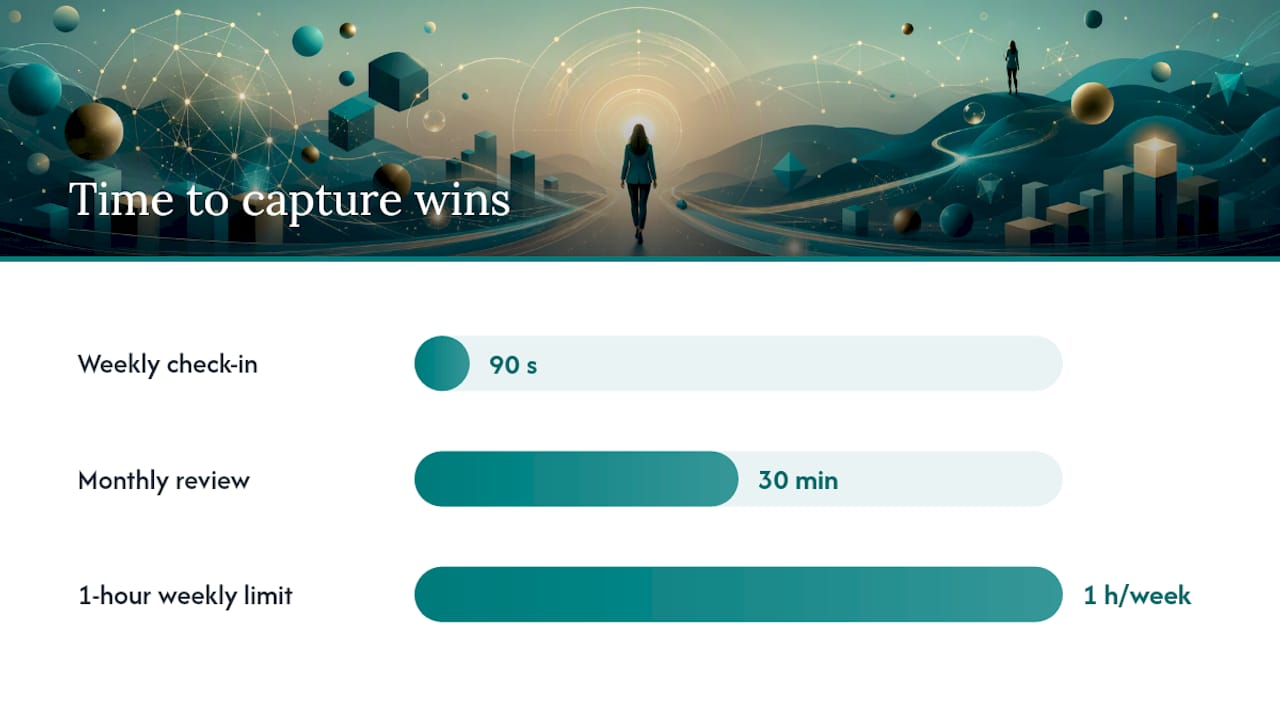
A 90-second weekly check-in plus a 30-minute monthly review produces a full year of evidence without ever eating a real chunk of your week. Voice journaling research on busy professionals backs this up: short, frequent prompts beat long, occasional ones, because you actually keep doing them.
Here's the workflow:
- Set a recurring weekly reminder, same day and time.
- Record a 90-second voice entry covering what you did and what changed because of it.
- Let the app transcribe and summarize the entry automatically.
- Tag it by project, skill, or stakeholder.
- Attach a screenshot, link, or metric as proof.
- Once a month, review the entries and draft three to five SBI statements.
The SBI format, Situation, Behavior, Impact, turns a raw note into something a manager can scan in ten seconds. Try these as starting points:
- "When our vendor missed a launch deadline (Situation), I rebuilt the rollout timeline and renegotiated scope with two stakeholders (Behavior), which kept the launch on schedule and saved an estimated two weeks of delay (Impact)."
- "During Q3 planning (Situation), I flagged a budget gap the team had missed (Behavior), preventing a $12,000 overrun (Impact)."
- "When a teammate went on leave (Situation), I took over their client accounts without dropping a deliverable (Behavior), and the client renewed early (Impact)."
Keep every entry consistent with five fields: date, context, metric, artifact link, and stakeholders involved. A raw voice note like "fixed the reporting mess for the Chen account, saved us from a bad renewal conversation" becomes, after transcription and tagging, a one-line SBI statement ready to drop straight into a self-evaluation.
What If You Don't Want Another Subscription App?
Spreadsheets, voice memos, and a physical folder all work, as long as you accept the manual upkeep. A tool-agnostic tracking structure, Date, Project, Action, Result, Metric, Reflection, works whether you're using a $200 app or a free spreadsheet.
- Google Sheet or Excel: free and flexible, but you're doing the tagging and formatting by hand every single time.
- Voice memos plus local transcription: fast to capture, but you'll need a separate app to search old entries later.
- LinkedIn plus private notes: keeps a public record current, but LinkedIn was never built for anything private or detailed.
- Physical folder or scanned archive: fully private and un-hackable, but slow to search and easy to forget about.
Cloud-hosted free tools trade privacy for convenience; local-only options ask more of you upfront but keep your record entirely yours. Whichever fallback you pick, plan to export it into a document before a review, don't wait until the night before to organize six months of scattered notes. Once you've tracked consistently for six months or want polished evidence packs on demand, it's worth upgrading to a dedicated app.
Why Does Look At You Go Fit This Job So Well?
LAYG is built for exactly this use case: a private, individual record of your work, captured in short voice check-ins and turned into evidence you control.
Here's how it lines up against the checklist:
- Voice capture — talk for 90 seconds; no typing required.
- Automatic transcription and highlights — the app pulls out the outcome, skill, or feedback worth remembering.
- SBI-style templates — entries convert into structured, review-ready statements.
- Exportable evidence packs — pull a clean summary for a review, raise conversation, or interview.
- Personal analytics — spot patterns in your skills and impact over time.
- Individual subscription — one plan, billed to you, not your employer.
- Privacy controls and data ownership — your employer never gets access.
Your case builds itself, one 90-second ramble at a time. You're not writing a review from scratch in June; you're exporting a year you already documented.
Before you commit, run this buying checklist: start the trial, test an export, confirm how your data is stored, check mobile capture speed on your own phone, and read the subscription and refund terms on the pricing page.
Here's what one weekly check-in looks like start to finish: you record a brief voice note on your commute home, LAYG transcribes and tags it automatically, you attach a screenshot the next morning, and by month's end it's already formatted as a statement you can paste into a self-evaluation using the self-evaluation examples as a model.

What Changed When I Started Logging Weekly
Before I logged anything weekly, review prep meant a frantic hour digging through old emails trying to remember what I'd actually done. Once I started a 90-second habit, that hour became a shorter, calmer period of copying and polishing. The real payoff came at my last promotion conversation: I had several documented wins with specific details attached, not just a vague sense that I'd "had a good year."
Getting Started With Look At You Go in Week One
Sign up, turn on weekly 90-second check-ins, and you'll have three documented wins logged before the week is out.
Notion and similar workspace tools ask you to build your own tracking system from scratch, database, tags, templates, all before you've logged a single win. LAYG skips that setup entirely: you talk, it structures. Onboarding takes a few minutes. You'll confirm your privacy settings first, since your employer never gets access to anything you record, then record your first entry right away. Pricing runs as a single annual individual subscription, no team seats or admin oversight; check the pricing page for the current plan.
In week one, aim to record one or two check-ins, attach a single artifact like a screenshot or link, and generate your first export-ready statement using the work journal guide for prompts if you get stuck. Your data stays yours from the first entry on.
Sources
- Why You Should Track Your Own Performance at Work — Psychology Today
- How and why to track accomplishments at work — UPenn Career Services (2025)
- Why documenting your wins helps with promotions and job security — Business Insider (2025)
- How to write a performance review — ClickUp (2026)
- Voice journaling for busy professionals — AudiScribe Blog